


Windows
Windows keys for personal computers. Match Home or Pro to the installed edition before buying.
Showing all 16 results
-
Sale!
SQL Server 2019 Standard Key for Development
Original price was: ฿15,900.00.฿1,200.00Current price is: ฿1,200.00. Add to cart -
Sale!
Windows 11 Installation USB — 16GB, Key Not Included
Original price was: ฿1,299.00.฿369.00Current price is: ฿369.00. Add to cart -
Sale!
Windows 10 Enterprise 2019 LTSC Key — 1 PC
Original price was: ฿15,900.00.฿1,150.00Current price is: ฿1,150.00. Add to cart -
Sale!
Windows 10 Home OEM Digital Key — 1 PC
Original price was: ฿1,200.00.฿579.00Current price is: ฿579.00. Add to cart -
Sale!
Windows 10 Pro OEM Digital Key — 1 PC
Original price was: ฿1,200.00.฿699.00Current price is: ฿699.00. Add to cart -
Sale!
Windows 10/11 Pro N and Home N Key — 1 PC
Original price was: ฿1,599.00.฿699.00Current price is: ฿699.00. Select options This product has multiple variants. The options may be chosen on the product page -
Sale!
Windows 11 Home / Pro ESD — Transferable Licence
Price range: ฿4,948.00 through ฿7,448.00 Select options This product has multiple variants. The options may be chosen on the product page -
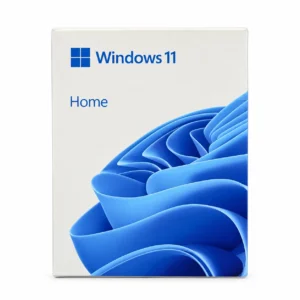
Windows 11 Home OEM Digital Key — 1 PC
฿579.00 Add to cart -
Sale!
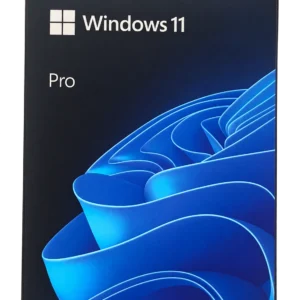
Windows 11 Pro FPP USB — Full Box, Transferable Licence
Original price was: ฿12,000.00.฿8,600.00Current price is: ฿8,600.00. Add to cart -
Sale!
Windows 11 Pro OEM Digital Key — 1 PC
Original price was: ฿3,150.00.฿699.00Current price is: ฿699.00. Add to cart -
Sale!
Windows 7 Pro OEM Key — 1 PC
Original price was: ฿1,200.00.฿529.00Current price is: ฿529.00. Add to cart -
Sale!
Windows 7 Ultimate Key — 1 PC, 32/64-bit
Original price was: ฿2,700.00.฿699.00Current price is: ฿699.00. Add to cart -
Sale!
Windows 8.1 Pro Key — 1 PC, 32/64-bit
Original price was: ฿4,800.00.฿539.00Current price is: ฿539.00. Add to cart -
Sale!
Windows IoT Enterprise / Embedded — Choose Edition and CPU Tier
Price range: ฿2,200.00 through ฿7,700.00 Select options This product has multiple variants. The options may be chosen on the product page -
Sale!
Windows Server — Choose Version and Edition
Price range: ฿950.00 through ฿1,200.00 Select options This product has multiple variants. The options may be chosen on the product page -
Sale!
Windows XP Professional OEM Key — 1 PC
Original price was: ฿1,490.00.฿480.00Current price is: ฿480.00. Add to cart
Which Windows 11 Home or Pro version is best for your needs?
If you use the computer for document creation, online learning, video conferencing, watching movies, or gaming Windows 11 Home is sufficient for general use. Windows 11 Pro offers additional tools for those who need to connect to corporate systems, manage multiple computers, or use specialized features.
Choosing Pro should depend on whether you need additional tools; it's not necessary to select a more expensive version just because you use a computer for work.
Which version should you choose?
| Usage | Recommended version |
|---|---|
| Internet browsing, watching movies, online learning, and video conferencing | Home is sufficient |
| Creating Word, Excel, or PowerPoint documents | Works on both Home and Pro, provided you have separate licences for these programs. |
| Play games | Home is sufficient; no need to purchase Pro just to play games |
| Use a personal computer for work, with no additional system requirements from the company | Home may be sufficient; check the required programs |
| Have IT enrol and manage the computer under company policy | Pro is better; consult IT before purchasing |
| You need to enable remote control of this device via Windows Remote Desktop | Select Pro for the computer that will receive the connection. |
What does Pro add that we might need?
For example BitLocker For drive encryption and data protection management, including tools for IT departments to manage devices in a corporate system, Home supports device encryption on supported devices, but the management options differ from BitLocker in Pro.
If you're unsure whether you need these tools, start with actual work tasks and company requirements before making a decision
Before purchasing a key, check the installed version first
Open Settings → System → About Then check the model name in the "Windows specifications" section to see if it's Windows 11 Home or Pro. If you need to activate the original version, select the key that matches that version
If the device is already activated with Windows, you may not need to purchase a new key. However, those who want to upgrade from Home to Pro should check their current license and upgrade methods before purchasing
Home or Pro is determined by Windows capabilities, while the number of devices and device transfers depend on the product license purchased. You should read the terms on each product page.