


To Upgrade Windows Home to Pro, You Must Have a Matching Pro License and Edition. It is not enough to just change the product name. Before starting, check the edition and activation status. Users who need to type in Thai and English should check their keyboard first, as upgrading to Pro is not required to switch languages.
For Windows 10 Users: General Support Ends October 14, 2025. This step is still available for maintaining older devices but does not automatically provide system support. Before long-term use, check the options that are suitable for your device.
Check Why You Need Pro
Start from Real Needs, Such as Using Business Features That the Current Edition Does Not Have. Do Not Confuse Windows Display Language with Keyboard Layout. The Limitations of Home Single Language Regarding Display Language Do Not Mean That Only One Language Can Be Typed.
Upgrade Edition on Windows 11
- Backup and Open Settings > System > Activation to Check Edition and Activation Status
- If you have a valid Windows 11 Pro product key, use Change product key > Change and enter your product key.
- If you don’t have Pro rights, check the options for Upgrade your edition of Windows and Microsoft Store as suggested by the system.
- Follow the screen instructions, restart when prompted, and verify that your edition is Pro and activation is successful.
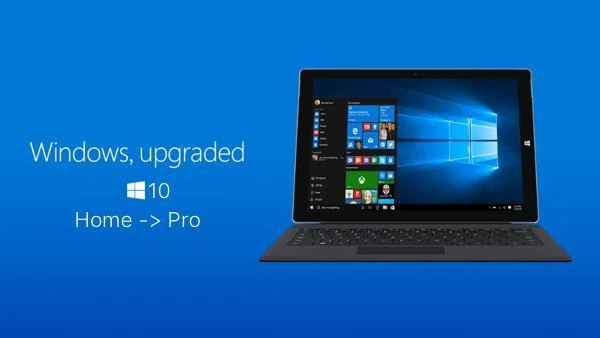
For Users Still on Windows 10
Open Settings > Update & Security > Activation and verify your edition and rights before using Change product key or Microsoft Store. Changing Home to Pro is not an upgrade to Windows 11 and does not extend the general support for Windows 10, which ends on October 14, 2025.
After Entering Key, What Data Should Be Saved
Note the incorrect edition and the edition specified by the key, while masking the full key before sending images to others. Incorrect edition keys or mismatched rights must be checked separately. Do not enter random keys from the internet or use unlock tools instead of verifying rights.
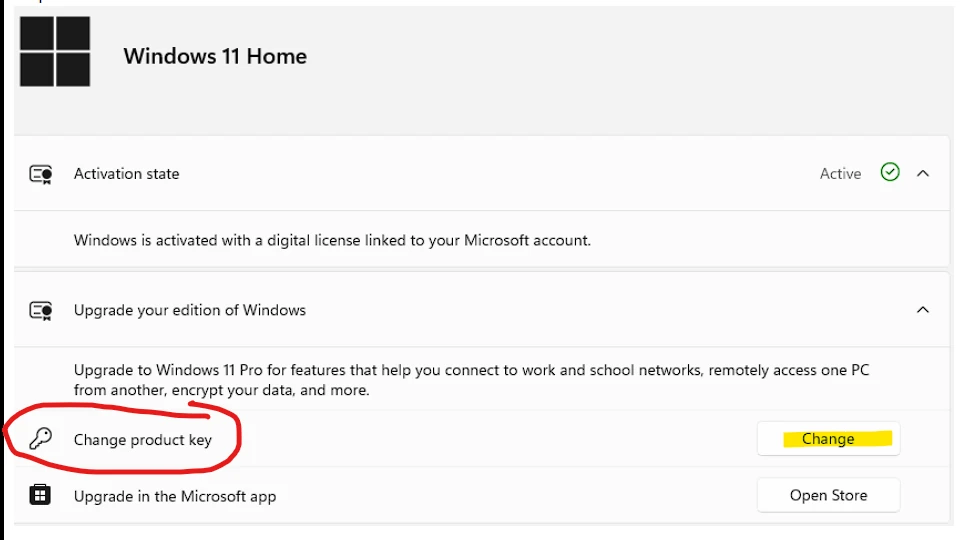
Do you need to wipe the computer first?
Upgrading your edition through supported paths in Settings is not the same as formatting and reinstalling the system. However, you should back up your work before making changes to the system. If it’s an organization device or has control policies, have the administrator verify rights and upgrade methods first.
Continue reading
- Set the language-switch shortcut in Windows 11 and 10 to the grave accent key or Win + Space
- Back up your Windows key before reinstalling: How do Product key and Digital license differ?
Sources and verification date
Reference documents reviewed on 28 October 2026. Menu names and options may vary by version, language and device policy. Illustrations are screenshots and images from the credited sources; their appearance may vary by version. This does not confirm testing on every type of computer.

Comments